Free Fire MAX Panel – APK, Mobile Compatibility and Safety Guide
Free Fire MAX Panel is a search term used by players exploring third-party tools associated with Free Fire MAX. Users often look for mobile compatibility, APK information, customization options, and tools advertised for headshot-related gameplay.
However, the name does not identify one universally verified application. Different websites may use similar labels for unrelated files, and advertised features may not work as described.
This guide explains what Free Fire MAX Panel means, how to evaluate related APK listings, and which compatibility checks matter before installation. It also discusses security risks, account penalties, and safer ways to customize gameplay.
Before downloading any third-party application, verify its source and purpose. A familiar name, attractive download button, or claim of anti-ban protection does not establish that a file is trustworthy.
What Is Free Fire MAX Panel?
Free Fire MAX Panel generally refers to third-party tools marketed toward Free Fire MAX players. Depending on the specific application, a developer may advertise configuration options, gameplay utilities, or additional controls.
These descriptions vary between listings. Therefore, users should evaluate the actual application instead of assuming that every Free Fire MAX Panel offers identical functions.
Understanding FF MAX Panel
FF MAX Panel is a shortened search variation for tools associated with Free Fire MAX. Players may use it when looking for Android applications, configuration utilities, or gameplay-related downloads.
The name alone does not confirm official status, compatibility, or security. Always identify the publisher and review the application’s documented purpose before considering installation.
What Does Panel Free Fire MAX Mean?
Panel Free Fire MAX is another keyword variation used in searches for MAX-related tools. It may lead to different websites and applications with similar descriptions.
Check whether a listing identifies a specific developer, version, and supported game release. If these details are missing, the application’s identity and functionality remain uncertain.
Is Free Fire MAX Panel an Official Feature?
The term Free Fire MAX Panel does not establish that a tool is officially developed or endorsed by Garena.
Free Fire MAX provides its own supported gameplay settings, including controls, sensitivity, and graphics options. Third-party applications should be evaluated separately from those built-in features.
For ordinary customization, start with the game’s official settings before considering external software.
Free Fire MAX Panel Features and Functions
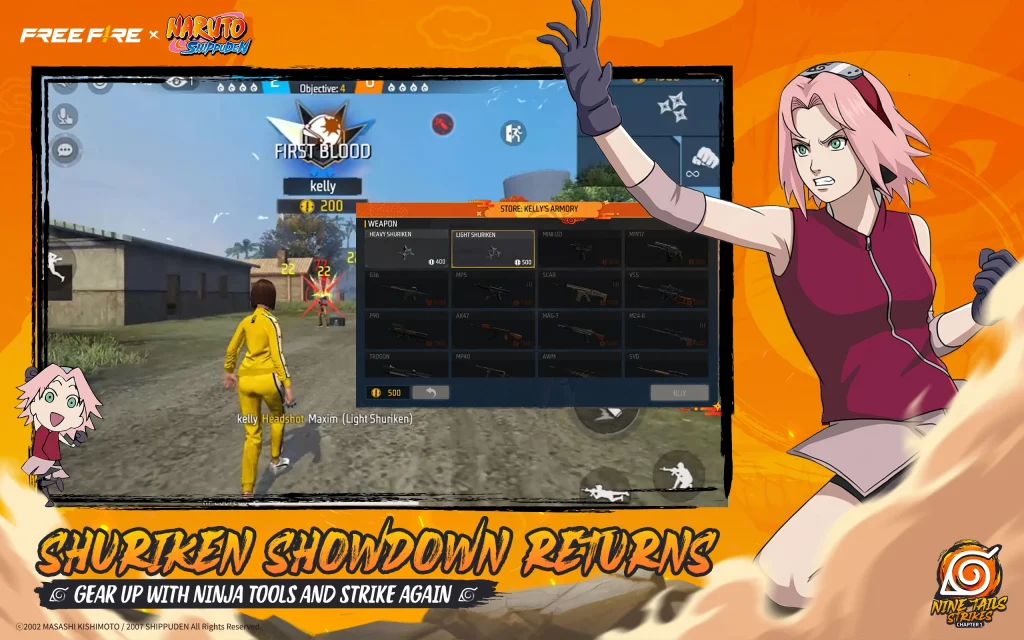
Applications using the Free Fire MAX Panel name may advertise different capabilities. Some listings describe configuration options, while others promote headshot assistance or additional gameplay advantages.
These claims require verification. A feature mentioned in a title or advertisement is not proof that it exists or functions reliably.
Interface and Configuration Options
A legitimate application should clearly explain its available controls and configuration options. Users should be able to understand the purpose of each setting before making changes.
Look for clear documentation, identifiable developers, and meaningful version information. Avoid tools with confusing instructions or unexplained permission requests.
Headshot-Related Features
Searches for Free Fire MAX Panel Headshot often come from players looking for improved aiming performance. However, no application should be assumed to guarantee headshots based on promotional claims.
Accuracy depends on crosshair placement, sensitivity, movement, and practice. Tools that automate aiming or modify gameplay may also violate game rules.
For a more reliable approach, adjust official sensitivity settings and practice in suitable training modes.
Compatibility and Version Support
A panel may work differently across Android versions, device models, and game releases. Compatibility should be supported by clear documentation rather than a general marketing statement.
Check the specific game version supported by the developer. If the information is unavailable, do not assume the tool works with your installation.
Updates and Maintenance
Version information can help users understand which release they are evaluating. However, a recent version number alone does not prove that an APK is authentic or secure.
Review release notes, publisher details, and the source of the file. Avoid relying on outdated version labels without checking current documentation.
Free Fire MAX Panel for Mobile
Many users search for Free Fire MAX Panel for mobile because they want a tool that works on their Android phone. Actual compatibility depends on the application’s requirements and its documented support for Free Fire MAX.
Android Compatibility Requirements
Before considering a mobile panel, check the following:
- Supported Android version.
- Device storage requirements.
- Application publisher and identity.
- Documented compatibility with Free Fire MAX.
- Requested permissions.
- Known limitations and update information.
These checks can help identify incomplete or misleading listings before you download a file.
Device Performance and Stability
Different phones have different hardware capabilities, memory limits, and software configurations. An application that installs successfully may still crash or behave unexpectedly on another device.
Keep your phone updated and maintain sufficient free storage. Avoid tools that promise guaranteed performance improvements without explaining their operation.
Free Fire MAX Panel on Different Devices
A general claim of mobile support does not guarantee compatibility with every Android phone. Device-specific restrictions can affect installation and application behavior.
If the developer does not identify supported devices or Android versions, treat compatibility as unconfirmed. Do not force installation by disabling security protections.
Free Fire MAX Panel APK Download
Users searching for Free Fire MAX Panel APK download information should carefully verify the file before installation. APK format alone does not confirm that an application is safe, official, or compatible.
How to Evaluate an APK
Before downloading, review the available application information:
| Detail | What to verify |
| Application name | Exact name and identity |
| Developer | Publisher or responsible organization |
| Version | Confirmed release information |
| File size | Information from a credible source |
| Android requirements | Supported operating system versions |
| Game compatibility | Documented Free Fire MAX support |
| Permissions | Access requested by the application |
| Source | Trustworthy and verifiable distribution |
Do not fill missing details with guesses. If the publisher cannot be identified, avoid treating the file as verified.
How to Check a Download Source
Look for a clear application description and credible publisher information. Be cautious when a website uses misleading buttons, unexplained redirects, or repeated advertisements.
Scan downloaded files with reputable security software. Where possible, compare file information with a trusted publisher source.
A security scan cannot guarantee that a file is harmless, but it can provide one useful check.
Installation Considerations
If you have verified a legitimate APK, check your phone’s Android version and available storage before installation. Follow the publisher’s documented instructions and review Android’s prompts carefully.
Do not grant unnecessary permissions or disable security features to install an unfamiliar application. If a warning cannot be resolved, stop and investigate.
For general APK evaluation and installation guidance, see the Free Fire Panel Download page.
Free Fire MAX Panel Headshot: What Players Should Know
The phrase Free Fire MAX Panel Headshot is often associated with tools advertised as improving aiming or headshot performance. These claims should be evaluated carefully.
Can a Panel Guarantee Headshots?
No guarantee should be assumed from an application’s marketing description. A player’s accuracy depends on aim control, movement, sensitivity, crosshair placement, and practice.
Tools that automate aiming or provide prohibited advantages may violate the game’s rules. Avoid relying on applications that promise effortless results without credible evidence.
Legitimate Sensitivity Adjustments
Sensitivity settings influence how your aim responds to finger movements. The best configuration depends on your device, screen size, and individual playing style.
Make small changes and test them in practice. Adjust one setting at a time so you can understand its effect.
HUD Layout and Aim Control
A comfortable HUD layout helps you reach controls consistently. Experiment with button placement through the game’s own settings.
Practice movement and aiming together rather than changing multiple settings repeatedly. Consistent training is a more dependable way to develop control.
Avoid Unverified Headshot Tools
Do not assume that a headshot-related panel is safe because it is popular or widely advertised. Its actual functionality, permissions, and effect on your account may be unclear.
Use official game settings whenever they meet your needs. Avoid third-party tools that modify gameplay in ways prohibited by game policies.
Is Free Fire MAX Panel Safe?
Safety depends on the specific application, its source, requested permissions, and actual behavior. The Free Fire MAX Panel name does not establish that a file is trustworthy.
APK Security and Permissions
Review the application’s publisher and privacy information before installation. Check why it requests each permission and whether that access is appropriate for its stated purpose.
Be particularly cautious with accessibility services, screen overlays, device administration, and requests for sensitive information. Do not grant broad access without a clear and legitimate reason.
Understanding Anti-Ban Panel Claims
Some listings advertise an anti ban panel Free Fire MAX users can supposedly use without account consequences. Such statements are marketing claims, not guarantees.
No third-party application should be assumed to prevent every account penalty. Avoid software that promises complete protection while providing no credible evidence.
Can a Free Fire MAX Panel Cause a Ban?
Unauthorized tools that modify gameplay, automate actions, or provide prohibited advantages may violate game rules. Depending on the tool and applicable policies, using them can expose an account to penalties.
Review official Free Fire rules before using third-party applications. Do not assume a tool is permitted simply because a website promotes it.
Protecting Your Account
Never share your password or verification codes with an unfamiliar panel website. Use official account-management channels and available security protections.
If you have entered credentials into a suspicious application, change your password through a trusted device and review your account for unfamiliar activity.
Free Fire MAX Panel Troubleshooting
Problems can occur when a third-party application is incompatible, outdated, damaged, or incorrectly configured. Check the source and requirements before attempting technical fixes.
APK Will Not Install
An APK may fail to install because of compatibility limitations, an incomplete download, or an Android security restriction.
Confirm the file’s integrity and documented requirements. If the file remains unverified, delete it rather than forcing installation.
Free Fire MAX Panel Keeps Crashing
Crashes may result from software bugs, device limitations, or unsupported game versions. Restart your phone and check for relevant system updates.
If only the third-party panel crashes, stop using it until reliable compatibility information is available.
Compatibility Errors
A panel designed for another game version may not function with Free Fire MAX. Confirm that the publisher explicitly documents support for your intended version.
Avoid modified files that claim to bypass normal compatibility requirements. Such files may introduce additional security concerns.
Unusual Permissions or Device Behavior
If the application causes unexpected pop-ups, unusual battery use, or unexplained device behavior, stop using it.
Review permissions, uninstall the application if appropriate, and run a reputable security scan. Seek device-manufacturer support if the issue persists.
Free Fire MAX Panel vs Free Fire Panel
The two terms express related but different search intents. Free Fire Panel is a broader phrase, while Free Fire MAX Panel specifically references the MAX version.
Neither name proves that a particular application is official or compatible. Users should check the exact software, supported game version, and publisher documentation.
| Comparison | Free Fire Panel | Free Fire MAX Panel |
| Search intent | General Free Fire-related tools | Tools associated with Free Fire MAX |
| Compatibility | Depends on the specific application | Requires documented MAX compatibility |
| Features | Vary by application | Vary by application |
| Official status | Must be verified | Must be verified |
| Security | Depends on source and behavior | Depends on source and behavior |
Do not assume one panel supports both versions. Check the actual application’s requirements before installing it.
Frequently Asked Questions
What Is Free Fire MAX Panel?
It is a search term for third-party tools marketed toward Free Fire MAX players. Actual features, availability, and compatibility depend on the specific application.
What Is FF MAX Panel APK?
FF MAX Panel APK refers to an Android package associated with a tool using that name. Verify the publisher and file source before considering installation.
Is Free Fire MAX Panel Available for Mobile?
Some listings may advertise Android support. However, compatibility with your device and game version must be verified independently.
Can I Download Free Fire MAX Panel APK Safely?
Safety depends on the specific file and its source. Review publisher information, permissions, compatibility, and security warnings before proceeding.
Does Free Fire MAX Panel Guarantee Headshots?
No such guarantee should be assumed. Aim depends on player skill, controls, practice, and gameplay conditions.
Is an Anti-Ban Panel Reliable?
An anti-ban claim does not guarantee account safety. Avoid unauthorized tools and review the game’s official rules.
Does Free Fire MAX Panel Work on Every Android Phone?
No universal compatibility can be assumed. Android versions, hardware, and application requirements vary between devices.
What Should I Do If the Panel Does Not Work?
Check the application’s source and compatibility information. If the file is suspicious or triggers security warnings, stop using it and remove it.
Can I Improve Free Fire MAX Gameplay Without a Panel?
Yes. You can adjust official sensitivity, HUD, and graphics settings and practice aiming through the game’s supported features.
Final Thoughts on Free Fire MAX Panel
Free Fire MAX Panel is a broad search term, and different listings may describe unrelated applications. Verify the publisher, supported game version, Android requirements, and permissions before considering a download.
Do not rely on claims of guaranteed headshots, universal compatibility, or complete anti-ban protection. These promises do not establish that an application is safe or permitted.
For ordinary gameplay customization, begin with official Free Fire MAX settings and practice techniques. If you are researching a specific APK, verify its source before installing it.